
PM Kisan Samman Nidhi pays eligible landholding farmer families ₹6,000 a year in three equal installments of ₹2,000 through Direct Benefit Transfer. If an installment has not reached your bank account, the Know Your Status tool on the official portal tells you exactly where your payment stands. This guide shows how to check your PM Kisan beneficiary status step by step, what each status message means, and how to fix the most common reasons a payment gets held back.
Table of Contents
How to check PM Kisan beneficiary status online
- Open the official portal pmkisan.gov.in.
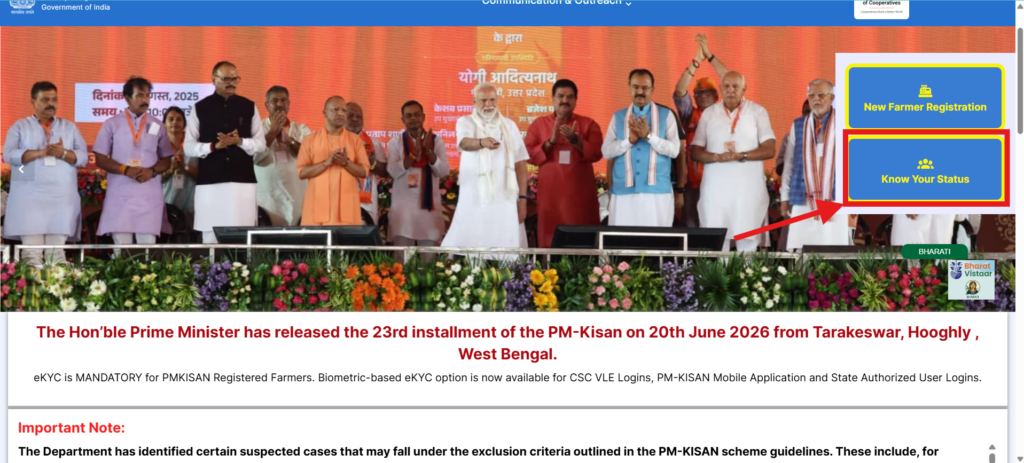
- In the Farmers Corner section, click Know Your Status.
- Enter your Registration Number. If you do not know it, click Know your Registration No., enter your Aadhaar-linked mobile number and the OTP to retrieve it.
- Type the captcha and click Get Data.
- Your installment history and current payment status appear on the screen.
What your PM Kisan status message means
- Rft Signed by State Government — your state has verified and forwarded your request for funds.
- FTO is Generated and Payment confirmation is pending — the payment file is ready and the money is on the way.
- FTO Generated and Payment Confirmation Received — the installment has been credited to your account.
- Aadhaar seeding or e-KYC pending — you must complete the pending step before the payment is released.
Common problems and how to fix them
- e-KYC not done — complete OTP e-KYC free on the portal, or biometric e-KYC at a CSC. See our PM Kisan e-KYC guide.
- Aadhaar not linked to bank — visit your bank branch and seed your Aadhaar number with the account.
- Name or bank mismatch — correct it under Updation of Self Registered Farmers in the Farmers Corner.
- Still stuck — call the PM-Kisan helpline 155261 or 011-24300606, or email pmkisan-ict@gov.in.
For full scheme details, eligibility and registration, read our main PM Kisan Yojana guide.
What you need before checking your status
Keep these ready so the check goes smoothly: your Aadhaar-linked mobile number (the OTP is sent there), and either your PM Kisan registration number, Aadhaar number, or the bank account number you registered with. Your name, as printed on your land records, should match your Aadhaar to avoid a mismatch.
Other ways to check your PM Kisan status
- PM-KISAN mobile app — download it from the Play Store to check your status and complete face-authentication e-KYC from home.
- Beneficiary list — on pmkisan.gov.in open Beneficiary List under the Farmers Corner and select your State, District, Block and Village to see every approved farmer in your village.
- CSC / bank — a Common Service Centre operator can check your status and help fix errors if you cannot do it online.
It is a good idea to check your status a few days before each installment is expected, so you have time to fix a pending e-KYC or Aadhaar-seeding issue before the payment date.
Frequently asked questions
How do I check my PM Kisan status without a registration number?
Click Know your Registration No. on the Know Your Status page, enter your Aadhaar-linked mobile number and the OTP, and the portal shows your registration number so you can check your status.
Why does my status show FTO generated but I have not received the money?
This means the payment is in process. It usually credits within two to three working days. If it takes longer, check that your Aadhaar is seeded with your bank account and your e-KYC is complete.
What is the PM Kisan helpline number?
The PM-Kisan helpline numbers are 155261 and 011-24300606. You can also email pmkisan-ict@gov.in for payment or registration issues.
Disclaimer: PMYojanaUpdates.com is an independent information portal and is not affiliated with any government body. Always use the official portal pmkisan.gov.in for the latest status and downloads.